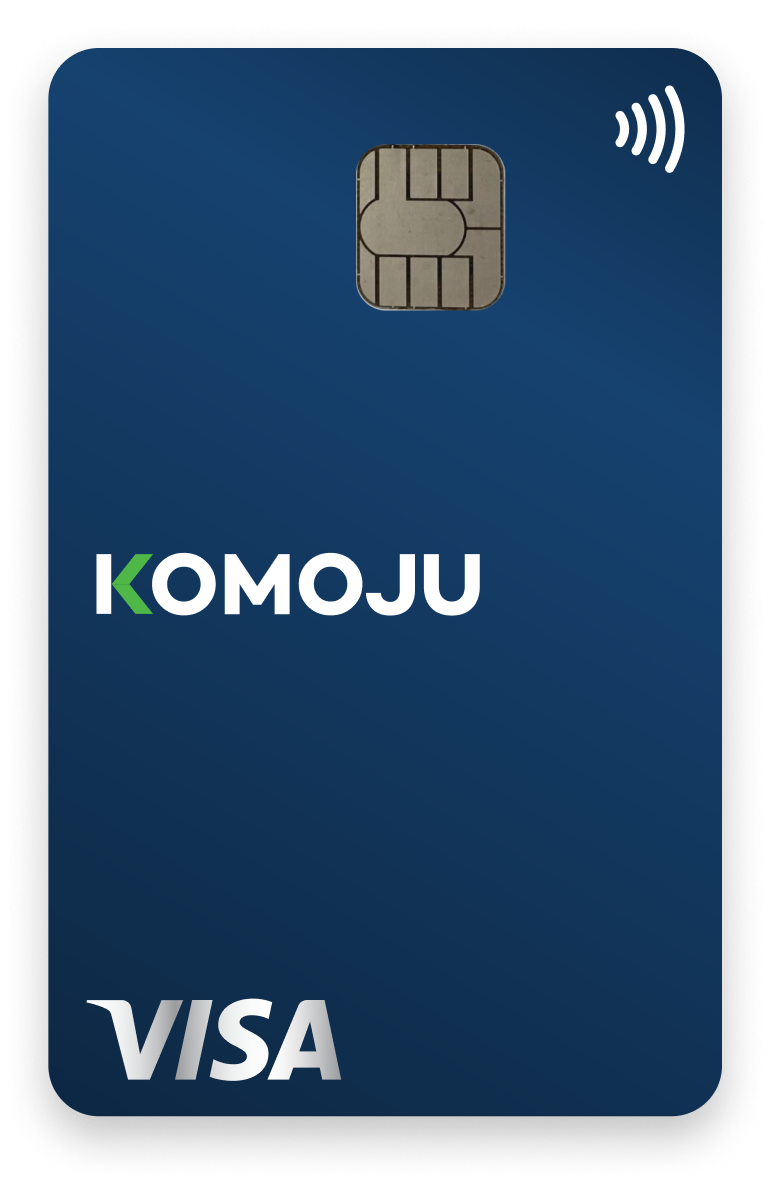
KOMOJU Card
Get cashback and immediate access to store revenue with your KOMOJU Card
No more waiting a week or more for payout cycles.
Get immediate access to your store’s revenue, 0.5% cashback on every purchase using KOMOJU Card and manage cashflow easily with KOMOJU Card.
KOMOJU Card and virtual cards are free for all KOMOJU accounts.
*A KOMOJU account is required to use KOMOJU Card and is currently available for Japanese business.

Meet the business card that puts you in control of your revenue
Managing company expenses doesn’t have to be complicated. With KOMOJU Card’s 0% fees, built-in controls and instant access to revenue, you can keep track of spending, stay within budget, and protect your business from overspending or misuse.
Earn cashback with every payment
Get 0.5% cashback on your card usage and lower your fees.
No fees to pay whatsoever
No annual fee, no monthly fee, and no foreign transaction fees.
Instant access to your store revenue
Your sales revenue via KOMOJU is available to use immediately from your card.
Shipped to you
in 3 days
No additional screening is required. After application, your KOMOJU Card will be shipped in as little as 3 business days.
Issue multiple cards
to your team
Issue cards or create virtual cards for any team member in seconds so everyone has what they need to get work done.
Use it anywhere,
completely free
Use KOMOJU Card anywhere Visa is accepted, both domestically and internationally, as well as online. Foreign transaction fees are 0%.
Streamline your
expense reconciliation
Write memos on statements, import receipts, and aggregate transaction statement data for batch output in CSV.
Stay protected with
strong governance
Lock cards, manage permissions and keep track of everything from your dashboard.
Stop overspending
on autopilot
Set spending limits per card and restrict usage to prevent overuse.
Connect to Moneyforward Cloud Expense Management Tool
Simplify your accounting work by link your KOMOJU Card with Moneyforward Cloud Expense Management Tool for free. Transaction details automatically import into the expense management tool without a traditional manual entry or importing csv file.
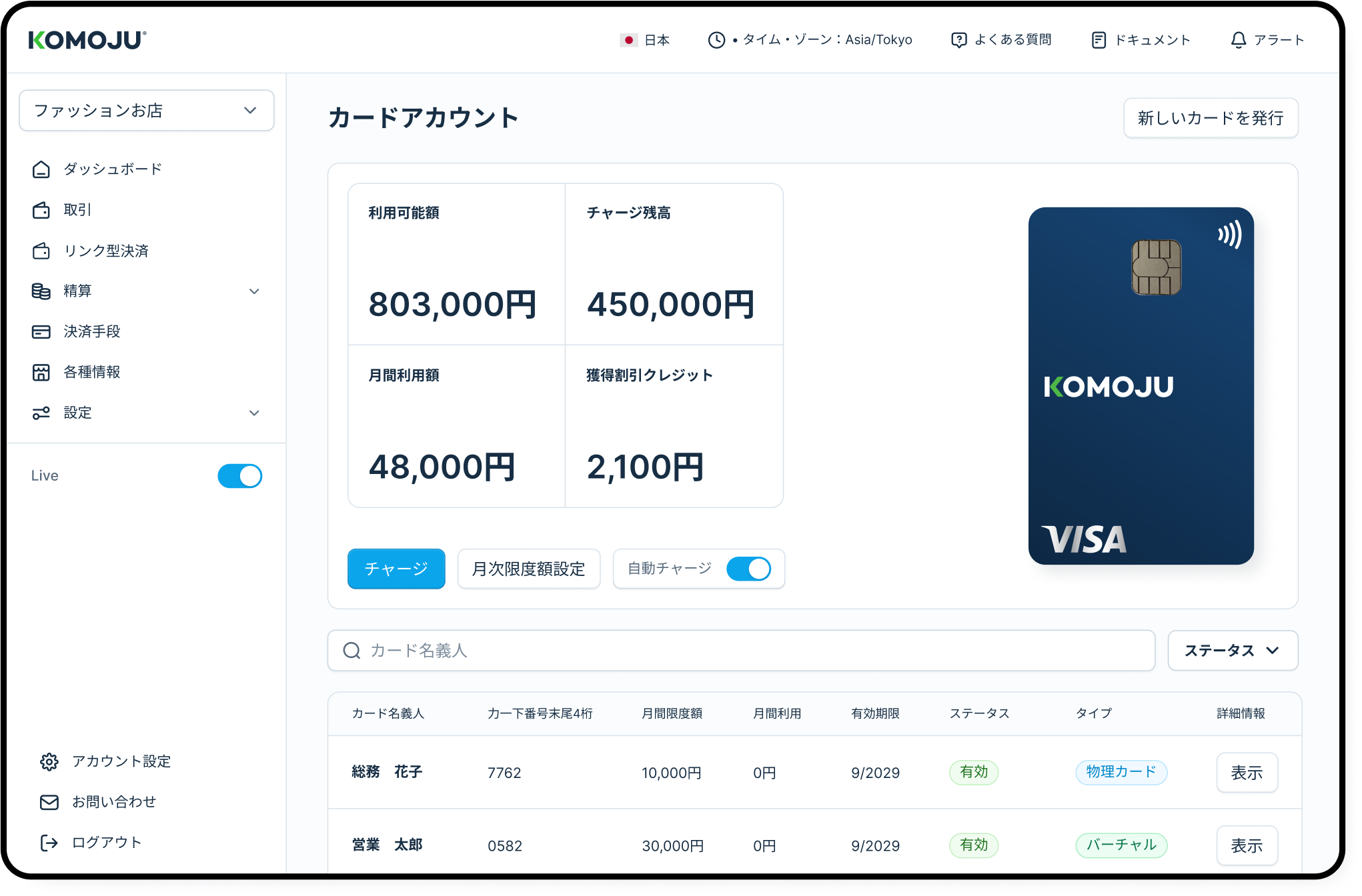
Managing multiple company cards made simple
One dashboard gives you everything you need to stay in control of your team’s spending. Issue new KOMOJU Cards in seconds, set monthly limits for each user, and track every transaction at a glance, all in one clean, easy-to-use interface.
How to apply for a KOMOJU Card



Apply for your card
Log in to your KOMOJU dashboard using an admin account and request a card in the KOMOJU Card section.
Your physical card will be shipped within 3–5 business days, and once it arrives, you can activate it in just a few clicks.
Prefer to start using it right away? You can create a virtual card as soon as your physical card is activated.


Start using your card
Your KOMOJU Card works anywhere Visa is accepted, both in Japan and overseas.
Use it for software subscriptions, postage, marketing expense or any other business expenses without waiting for a payout cycle.


Manage expenses with ease
Attach receipts, add notes, and review card activity directly in your dashboard.
Everything is stored in one place, making it simple for you and your accounting team to track spending and settle expenses without the back-and-forth.

Lighten up your expense management
Reduce manual accounting work and improving operational efficiency by automatically import KOMOJU Card's transaction details into Moneyforward Cloud Expense Management Tool. Simply connect your KOMOJU Card to "MoneyForward Cloud Expense Management Tool" for free from KOMOJU Dashboard.

Make expense management simple and flexible with the KOMOJU Card
KOMOJU Card
Debit card
Credit card
Annual fee
Free
Many are free
Ranges from free to hundreds of thousands of yen
Source of funds
Your eCommerce sales through KOMOJU
Bank balance
Your credit limit
Application
No review required
No review required
Review and approval required
Number of cards
Unlimited
Usually one per account
Multiple cards, depending on the provider
Expense tracking
Automatically linked and integrated in the dashboard
Must be tracked separately
Must be tracked separately
KOMOJU Card FAQs
KOMOJU Card is a business Visa prepaid card that’s linked to your KOMOJU payment revenue. It lets you use your KOMOJU sales funds immediately rather than waiting for the payout cycle.
You’ll also receive 0.5% cashback on card spend, which is applied toward reducing your monthly KOMOJU payment processing fees.
To apply, log in to your KOMOJU merchant dashboard using an account with Owner or Admin permissions, then just hit apply from the “KOMOJU Card” section.
You can check your funds anytime inside the KOMOJU dashboard under Settlement History. You can also download the data as CSV or Excel, which is helpful for bookkeeping and expense tracking.
It’s 100% free to use.
A virtual card is an online-only card (you get a card number, but no physical plastic card). You can use it for online payments just like a normal card, and it’s often more secure because it’s easy to issue, manage and impossible to lose.
No, it’s just another way to use your KOMOJU revenue.
That said, there’s one important caveat: once you charge revenue onto the card, that amount can’t be withdrawn via bank payout.
Yes, when you apply, you can set a spending limit per card (and update it later).
There’s also a per-transaction limit of ¥2,000,000 stated in the card charging guidance.
Yes. You can create an unlimited amount of cards for yourself or your team, and you can apply for additional cards as needed from the dashboard.
You’ll apply from the KOMOJU dashboard as an Owner/Admin, choose whether it’s for you or a staff member, select the card type, and then enter the cardholder’s name + email. That’s it.
Yes, you can assign different permission levels for different team members:
- Account Manager can issue/lock cards and set/update limits
- Transaction Manager can view/export transactions for all cards
- Card User can view/export their own card transactions and enable/disable their card
Yes. If a card is lost or stolen, you can disable it from the dashboard using the card settings toggle. We’ll send you an SMS to verify then disable the card.
Yes. You can view and export transaction history from the dashboard (as long as you have the right permissions).
Yes, you can upload a receipt image to a transaction and leave notes for internal expense tracking in your dashboard.

For FAQs about KOMOJU and KOMOJU services, check out our FAQs.
If you have any questions, get in touch with the KOMOJU team.