
We help businesses accept payments online.
When you’re setting up an online store, WooCommerce is a great place to start. WooCommerce is a free WordPress plugin that turns your website into an online store so that you can sell products or services. But the truth is, most stores need a little extra something to really make them work. That’s where WooCommerce plugins come in. They help you customize your store to fit your needs, add payment methods that your customers actually use, and make shipping a whole lot easier.
In addition, they give you insights into what your customers are doing on your site, so you can make informed decisions. With the right plugins, you can take your store to the next level and make it truly successful. For smaller businesses, having flexibility is a big plus; it means you can create a store that works just right for you, no developers needed.
In this article, we’re going to take a look at 12 different WooCommerce plugins that optimize your store. They can help you improve your store, handle payments more easily, and provide great customer support both at home and abroad.
TL;DR: WooCommerce gives you the foundation for an online store, but the right plugins can transform it into a powerful eCommerce business. In this article, we introduce 12 essential WooCommerce plugins that help improve payments, shipping, customer experience, and store performance.
WooCommerce is Highly Customizable and Flexible
With WooCommerce, you have direct control over how your online store is built and run. And since it’s built on WordPress, you’re free from the constraints of a rigid, closed platform. You can adjust both design and functionality as your business changes. Compared to Shopify, WooCommerce offers more flexibility in how your store is configured and extended.
For instance, Porter & York uses it to offer subscriptions and let customers customize their products. They can even set up repeat orders. In Japan, there’s Tabio, a retailer that uses WooCommerce to manage a large product catalog with many variations, including different sizes and colors. Then there’s HomeWizard, a European brand that sells directly to customers. They used WooCommerce to launch websites in 28 different countries, which is pretty impressive. They can handle multiple currencies and payment methods, making it easy for them to reach customers worldwide.
Customizable Store Design
WooCommerce lets you control how your storefront looks and how customers navigate it without writing code.
From the WooCommerce dashboard, you can adjust layouts, fonts, colors, headers, and footers using built-in tools. The pattern-based editor also lets you rearrange sections of your homepage, such as product displays or promotional banners, without rebuilding the entire site.
SEO Capabilities on WordPress
You can modify your website’s pages in various ways, including changing the title, description, and address, by using different WooCommerce plugins. Certain plugins, like AIOSEO, offer helpful tips directly in the editor, helping you organize your content around specific keywords and even giving you a preview of how your pages will appear in search results.
This helps ensure your pages align with your desired design and user experience. For example, you can use these plugins to ensure your pages are optimized for search engines, helping more people find your website. You can also use them to update product details on every page. They can also help you create content that people are more likely to find when they search for something.
Managing technical SEO is a whole lot easier these days. The right SEO tools can automatically generate XML sitemaps, fix indexing issues, and even flag issues such as missing metadata or duplicate content. Moreover, performance tools can speed up page load times.
Extend Functionality with Plugins
With WooCommerce, your store basics are covered, including product listings, a cart, and checkout. Most stores, however, require additional functionality to support specific features or workflows.. That’s where plugins come in. Also known as extensions, plugins let you add new functions without modifying with your core setup.
This way, you can customize your store to fit your needs without getting too complicated. You can also add features to your online store by installing plugins, such as printing shipping labels right from your dashboard, syncing your products with Google or social media platforms, tracking what your customers are doing on your site, or giving them more ways to pay for their purchases.
This can make it easier to run your store and give your customers a better experience. You can start small and grow your online store over time, adding new tools and features as needed.
Plugins for Building an eCommerce Site
One of the WooCommerce’s biggest advantages is its flexibility. Instead of replying on a a large platform that spends time building out features, you can choose only the tools and functionality your store actually needs. With WooCommerce, you can build your store with just the right combination of plugins to suit you and your business.
WooLentor: Customize Your Store Without Hiring a Developer
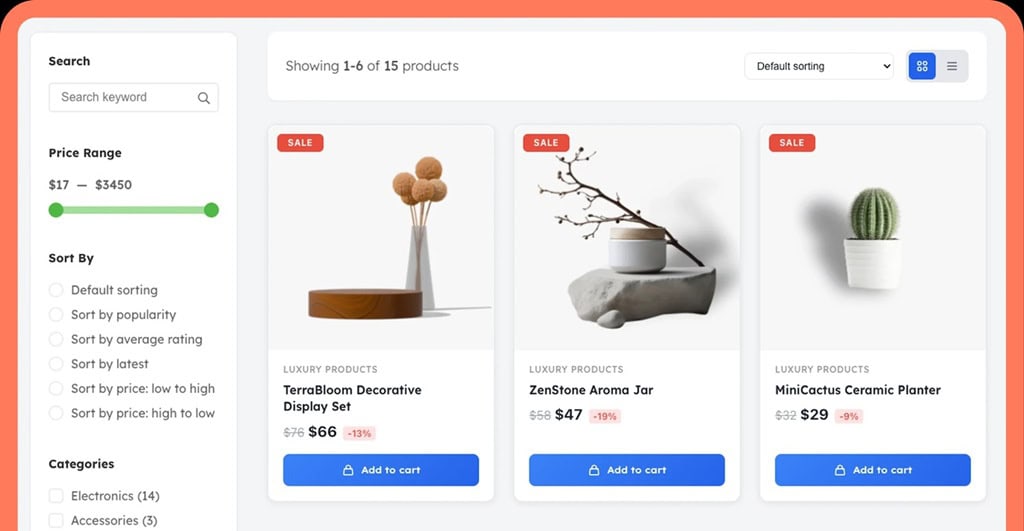
WooLentor is a powerful solution for expressing your individuality and creating a truly remarkable site without hiring a developer.
Keeping the no-code and no developer ethos, WooLentor lets you heavily customize the look and feel of your WooCommerce store on key pages, such as product, cart, and checkout. And with so many options available, you can change everything from how products are displayed to your upsells to the overall layout of WooCommerce pages to better suit how you plan to run your store.
Features:
- Drag-and-drop editing for product, cart, and checkout pages.
- Built-in elements like wishlists, quick view, and product comparison.
- Pre-made templates to speed up setup.
- Faster interactions like AJAX add-to-cart.
Pricing:
- The free version covers basic store design.
- Paid plans start at roughly $99/year for up to five sites, with higher-tier and lifetime plans available for agencies and multi-site management.
ShopEngine: Add Advanced Features Without Installing Dozens of Plugins
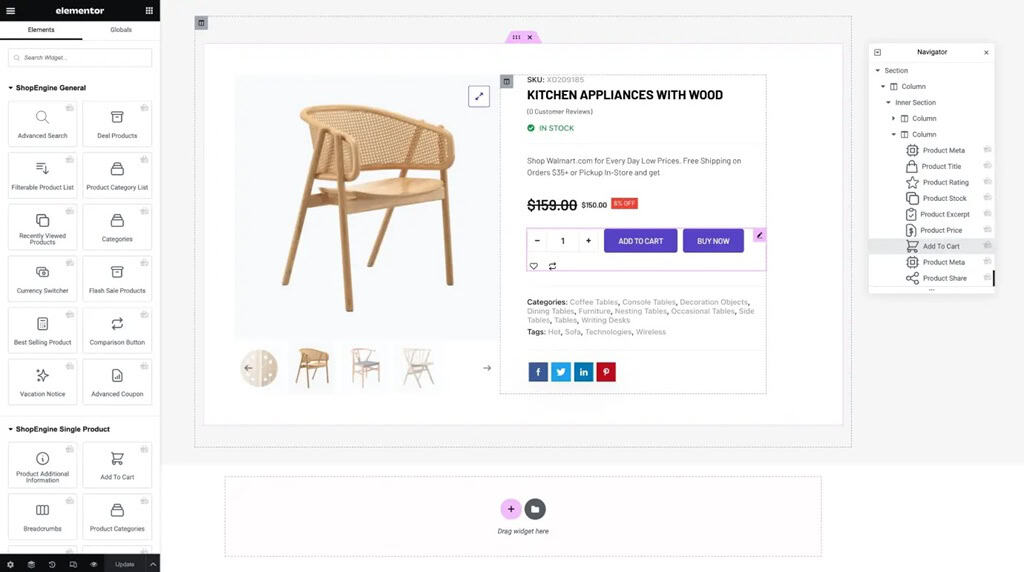
ShopEngine focuses on functionality, providing features that most e-commerce sites would require separate plugins for, such as offers, product side-by-side comparison, product quick view, and PayPal Express checkout. Rather than juggling a plethora of plugins, ShopEngine makes it simple to manage your site as it grows.
Features:
- Modules for things like quick checkout, pre-orders, and product comparison.
- Built-in sales tools like countdown timers and stock alerts.
- Works with Elementor and Gutenberg themes for layout control in WordPress.
- Supports multiple languages for international stores.
Pricing:
- The Free version includes core features
- Paid plans start at around $59/year for a single site, with multi-site and lifetime options available for growing businesses.
Plugins for Store Operations
Running a successful online store requires managing order fulfillment, customer data security, analytics tracking, and website uptime. While WooCommerce handles the basic features of an online store, a suite of plugin extensions can manage the many details of daily store management, all from your dashboard.
WooCommerce Shipping
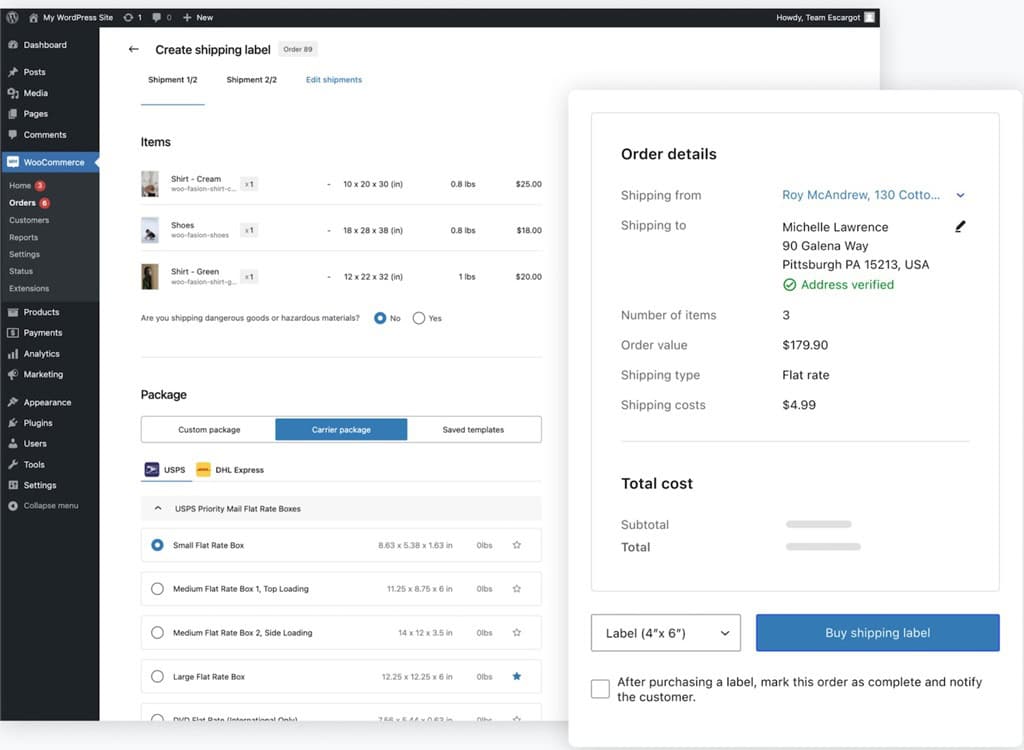
Skip repetitive tasks and do shipping right from your WooCommerce dashboard with WooCommerce Shipping. No more copying and pasting your order details into separate shipping applications; get the tools you need to print shipping labels, compare rates across the carriers you use, and send shipments out the door quickly.
Features
- Print USPS, UPS, and DHL labels from the dashboard.
- Access discounted shipping rates.
- Compare live rates across carriers.
- Split shipments for partial order fulfillment.
- Schedule pickups without visiting a post office.
Pricing
Free to use. You pay only for shipping labels.
Jetpack
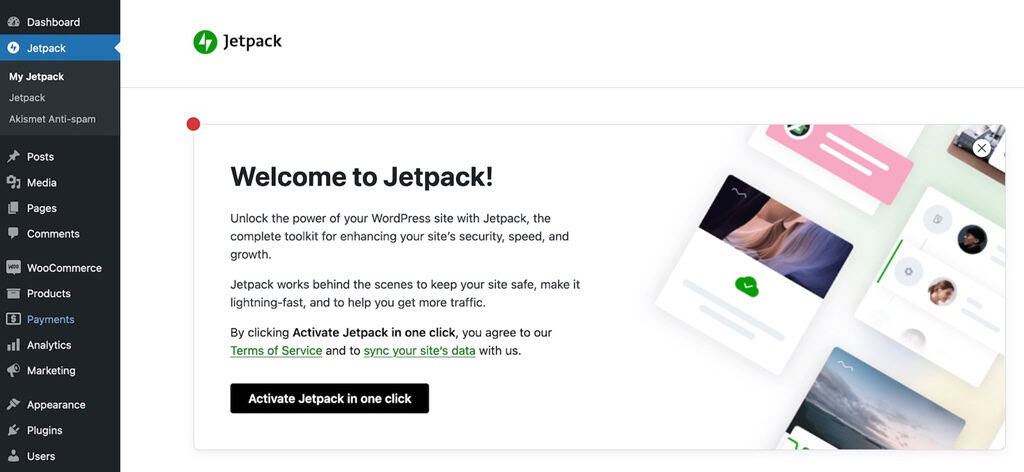
Jetpack combines security, backups, and basic analytics into one plugin. Instead of setting up separate tools for malware protection, backups, and traffic tracking, you can manage these from within WordPress.
When your site experiences downtime or data loss, sales and customer experience can be affected almost immediately. To help protect against this, Jetpack reduces that risk by keeping order backups and allowing you to restore your store quickly, which is critical once you start processing regular transactions.
Features
- Automated malware scanning and brute force protection.
- Real-time backups with one-click restore.
- Basic traffic and order data in a centralized dashboard.
- Downtime monitoring.
Pricing
Free core plugin available. Paid plans are offered as bundled subscriptions (such as Security, Growth, and Complete), typically starting at around ¥1,400–¥3,600 per month when billed annually, depending on the features included.
Plugins for Payment Processing
H2: Plugins for Payment Processing
Your store may be optimally displaying products, providing helpful product information, and presenting a pleasant shopping experience. Yet at checkout, customers may be driven to complete their purchase on a competitor’s site if they are offered limited or unfamiliar payment options.
For stores selling internationally, two factors matter:
- It makes sense that when prices are displayed in the customer’s local currency, they are more likely to complete the transaction.
- Geography: Different payment methods are popular in different regions.
Some countries, such as the United States, are very familiar with using credit cards to pay for games, whereas others, like Japan, may be more accustomed to cash, bank transfers, or mobile billing. Additionally, some markets are normalizing the use of digital wallets for purchasing games.
WooCommerce supports many different payment plugins, enabling shop owners to offer the checkout option that best fits their global customers.
WooPayments
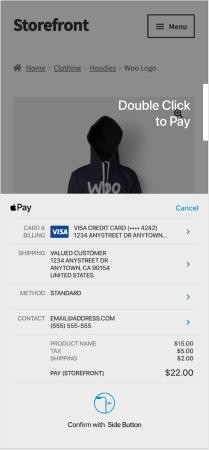
WooPayments is the native payment processing solution for WooCommerce. WooPayments lets WooCommerce store owners accept payments directly in the WooCommerce dashboard, eliminating the need for external integrations.
Features
- Accepts major credit and debit cards.
- Integrated with WooCommerce admin for managing transactions and refunds.
- Supports recurring payments and subscriptions.
- Multi-currency support for international sales.
Pricing
WooPayments does not charge a monthly fee, but applies a transaction fee on each order.
KOMOJU
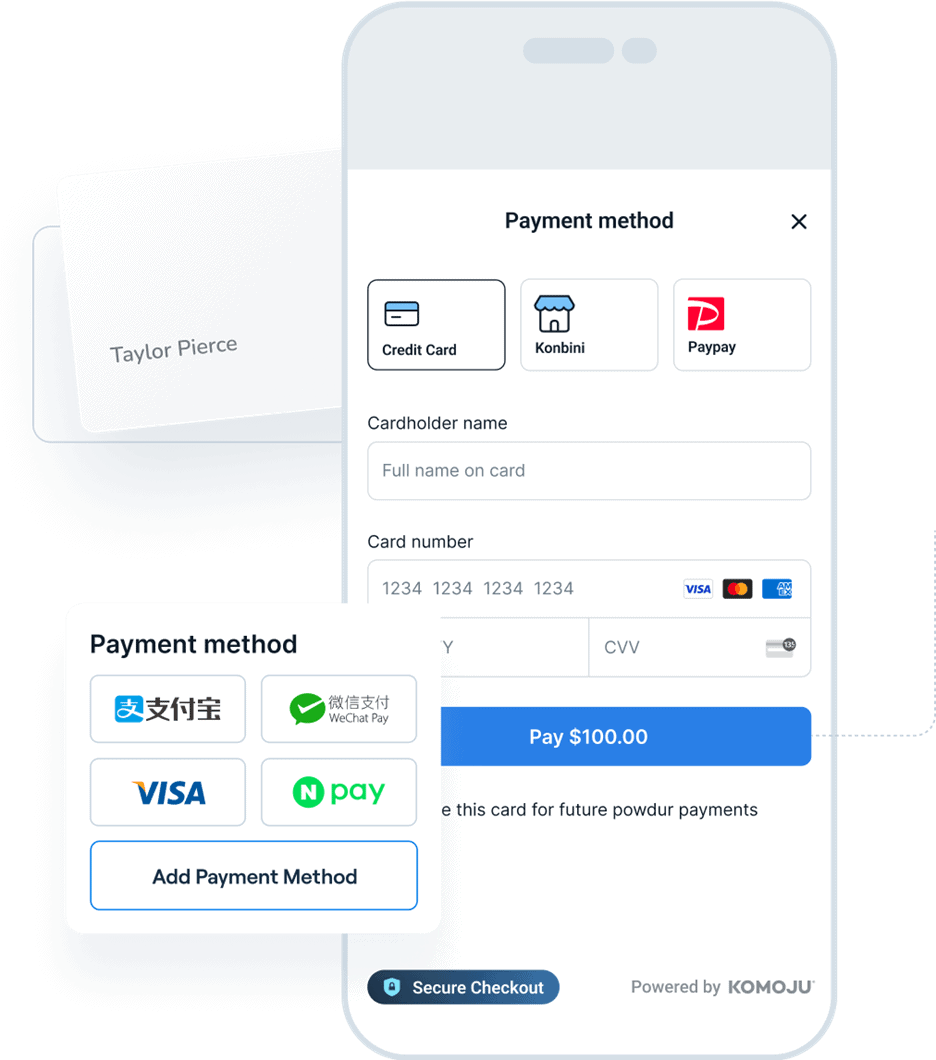
KOMOJU is a payment gateway designed to support local payment methods across multiple regions. It enables stores using WooCommerce to support payment options tailored to local purchasing habits in each region.
In markets across Asia, payment preferences differ significantly from Western markets. By offering locally familiar payment methods, KOMOJU reduces checkout friction and increases the likelihood that customers complete their purchases.
Features
- Supports a wide range of payment methods, including local preferences.
- Covers multiple regions, including Japan, South Korea, China, Southeast Asia, and parts of Europe.
- Accepts payments in local currencies while allowing merchants to settle in JPY, USD, and EUR.
Pricing
KOMOJU has no monthly charge and charges per transaction, with different rates for different payment methods. It offers the advantage of consolidating multiple regional payment methods into a single payment integration, which in turn may mean you do not need to integrate with separate providers.
Plugins for Customer Engagement
Not every visitor is ready to buy on their first visit. Many browse, compare products, or leave before reaching the checkout page. Customer engagement plugins help store owners log intent, follow up with potential customers, and make it easier for users to return and complete a purchase later.
OptinMonster
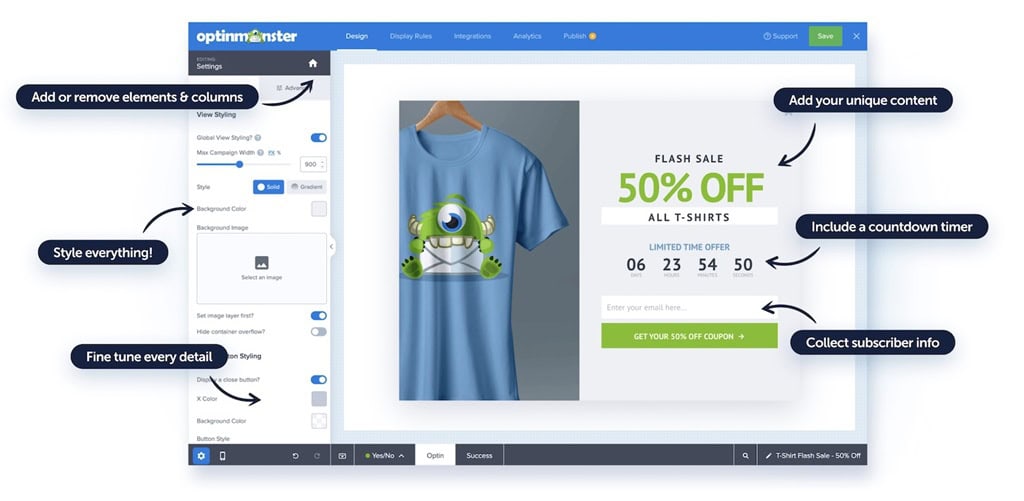
OptinMonster captures email addresses and leads from visitors before they leave your site, enabling you to follow up via email campaigns or retarget them.
Features
- Exit-intent popups triggered when users are about to leave.
- Targeted forms based on user behavior (e.g., time on page, cart activity).
- Integration with email marketing platforms.
- A/B testing to compare different offers or messages.
Pricing
OptinMonster uses a subscription model, starting at around $7–$9/month (billed annually), and $29/month and above for advanced options.
YITH WooCommerce Wishlist

YITH WooCommerce Wishlist lets customers save products for later, making it easier to return and complete a purchase without having to search again.
Features
- Wishlist functionality for saving products.
- Option to share wishlists with others.
- Persistent lists across sessions for returning users.
- Integration with product pages and user accounts.
Pricing
A free version is available, with the premium version typically priced at around $99/year, including updates and support.
Plugins for Marketing and Analytics
Whether you are trying to increase search visibility, improve the user experience, or simply answer a few questions from your customers, marketing and analytics WordPress plugins can make it all possible and help you take action on your WordPress site.
AIOSEO
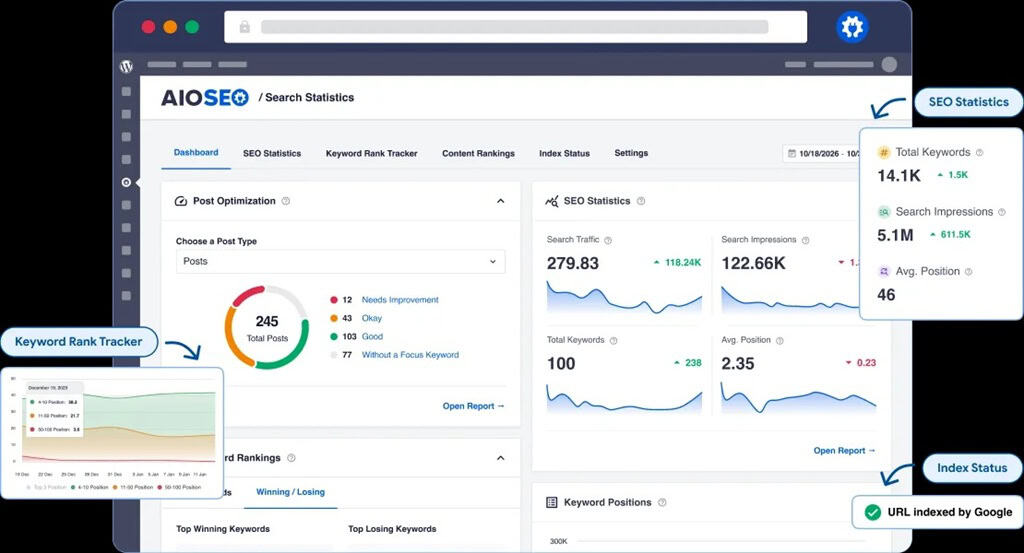
AIOSEO not only optimizes your WooCommerce website for better search engine rankings, but also makes it easier for your customers to search your store as well.
Features
- Edit page titles, meta descriptions, and product URLs.
- Generate XML sitemaps for search indexing.
- On-page SEO analysis and recommendations.
- Schema markup for products (e.g., price, availability).
Pricing
AIOSEO offers a free version, with paid plans starting at around $49.50/year for a single site.
LiveChat
LiveChat lets you communicate with customers in real time as they browse your store, helping you answer questions that might otherwise prevent a purchase.
Features

LiveChat lets you communicate with customers in real time as they browse your store, helping you answer questions that might otherwise prevent a purchase.
Features
- Real-time chat widget on product and checkout pages.
- Automated messages based on user behavior (e.g., time on page).
- Integration with CRM and customer support tools.
- Chat history and customer tracking.
Pricing
Plans start at around $19 per agent per month (billed annually) and $49–$79 per agent per month for more advanced features.
Plugins for Language Support and Localization
Selling abroad is no longer just a matter of putting your website through a translator; you need to make sure that your store is priced in the local currency and displayed in the local language. Even little things like displaying dates in the local format can make all the difference.
WordPress itself provides default support for multiple locales in settings such as language and time zone. By integrating with payment providers, including KOMOJU, WooCommerce shops can display content naturally suited to local markets and cultures.
WPML
WPML lets merchants build and manage a fully multilingual WooCommerce store, with control over how each language version is presented. The plugin gives you full control over how your store appears in each market—essential for maintaining consistent branding, accurate product descriptions, and search visibility across different languages.
Features
- Manual translation for pages, products, and checkout
- Multi-currency support for international pricing
- Separate SEO settings for each language
- Integration with WooCommerce product data
Pricing
WPML offers annual plans starting at €39/year, with the full WooCommerce-compatible solution available at €99/year, and agency plans at €199/year.
Weglot
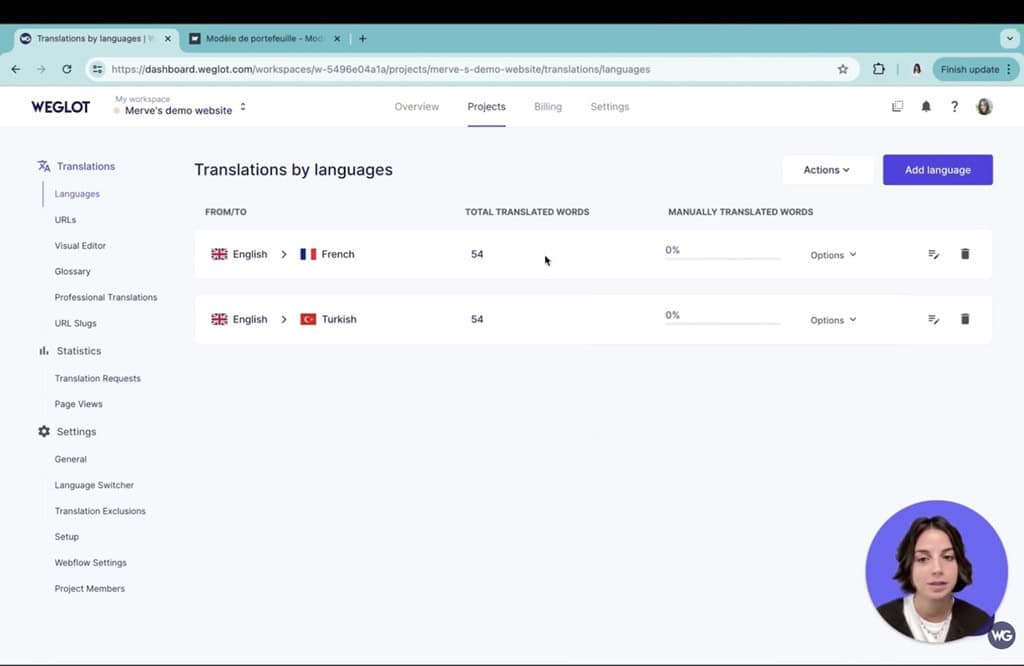
Weglot automatically translates your WooCommerce store and makes it available in multiple languages with minimal setup. It handles pages, product descriptions, and content generated by plugins.
The plugin reduces the time required to launch a multilingual store from weeks to hours, making it practical to test new markets and reach non-English-speaking customers, and increase visibility in international search results.
Features
- Automatic translation into 100+ languages using providers like DeepL and Google.
- Translates full store content, including checkout and third-party plugins.
- Creates language-specific URLs and applies hreflang tags for SEO.
- Built-in language switcher and browser-based language detection.
- Visual editor for reviewing and adjusting translations.
Pricing
Weglot offers a free plan for small sites (up to 2,000 translated words). Paid plans start at around $17/month, with pricing increasing based on the number of translated words and languages.
Summary | Use Plugins to Extend WooCommerce
WooCommerce gives you control over your store, but that flexibility only works if the right pieces are in place. Plugins allow you to build around your actual needs.
At a practical level, most stores need to get a few fundamentals right:
- Navigation and product discovery: Customers need to find products quickly, whether they are browsing on desktop or mobile. Poor category structure or filtering increases drop-off before checkout even begins.
- Analytics and tracking: Without clear data on user behavior, it’s difficult to identify where customers leave or which pages drive purchases.
- Security and site reliability: Downtime, failed checkouts, or data issues lead to lost revenue and lower trust.
- Local Payments: If a customer doesn’t see a familiar payment method, they are less likely to complete the purchase.
For stores operating internationally, payment setup becomes more involved. Customers expect pricing in their local currency and payment methods they recognize.
To address this, KOMOJU is a payment gateway that enhances WooCommerce stores by enabling multiple local payment methods through a single integration. This reduces the need to manage separate providers and aligns the checkout experience with customer expectations in each market.
WooCommerce does not require rebuilding as your business grows. By adding the right plugins at each stage, design, operations, payments, and localization, you can adjust how your store functions without rebuilding your store from scratch.
FAQ
What is a WooCommerce plugin?
A WooCommerce plugin is an extension to a WooCommerce website that enables users to add functionality such as payment gateways, shipping methods, marketing solutions, and website themes. Many of these plugins are straightforward to install and enable users to greatly enhance and customize their WooCommerce website without modifying core files. The majority of these plugins are paid; however, many free and “free to try” plugins are available for WooCommerce.
What are the advantages of adding plugins to WooCommerce?
You can add features from a huge collection of plugins. By selecting the tools that are right for you, you can improve your store’s functionality without increasing development costs and still allow for future expansion as your store grows.
What payment methods can be added to WooCommerce?
WooCommerce supports various payment methods through plugins, including credit and debit cards, digital wallets, bank transfers, and region-specific options such as convenience store payments in Japan.
Payment preferences vary by market, so offering locally familiar methods is often necessary to complete transactions. Payment plugins let you adapt your checkout to different regions without rebuilding your store.
We help businesses accept payments online.