
We help businesses accept payments online.
If you run a WooCommerce store and you’re looking at selling in Japan, you’ve probably already figured out the logistics — shipping, international duties, accepting yen, translating your storefront.
But accepting Japanese payments is another thing entirely.
As we’ve mentioned before, Japan’s unique payment culture is complex for international merchants and requires a lot more adaptation than most Western markets.
In most Western markets, a shopper who can’t find their preferred payment method will usually pick another one and finish the order around 80% of the time. In Japan, over 60% of online shoppers abandon their cart if they can’t see their preferred payment method.
In other words, when Japanese customers don’t see their payment method of choice, they don’t find another way to pay. They tend to close the tab forever.
However, for WooCommerce stores that are running on the default WooPayments plugin, the only Japan-specific options you get are a checkout in yen and the Japanese credit card JCB (Japan Credit Bureau), even though it is powered by Stripe.
And, as we know, that’s not going to be enough for most Japanese shoppers.
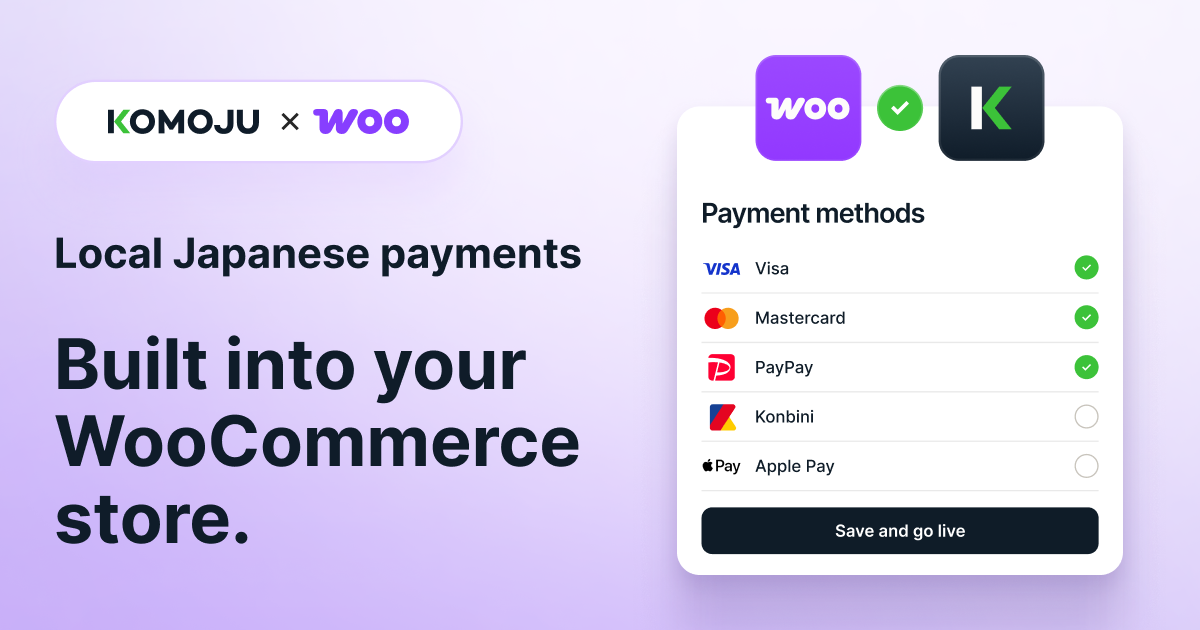
The good news is that WooCommerce is unusually well suited to fixing this. Because it’s self-hosted and open by design, you can add a payment gateway on top of your existing one and put Japanese payment methods on your checkout relatively easily. (Our KOMOJU Payments WooCommerce plugin – an Official Payments app for WooCommerce – allows you to add popular Japanese payment methods to your checkout in just a few steps.)
This guide covers everything you need to know about adapting your WooCommerce checkout for customers in Japan, including:
- which payment methods Japanese customers expect
- why WooCommerce’s defaults fall short in Japan
- how konbini payments and other local payment methods work for your store
- what other localization Japanese customers expect
- whether you need a Japanese company to accept Japanese payments
- how to start accepting Japanese payment methods
Does WooCommerce work in Japan?
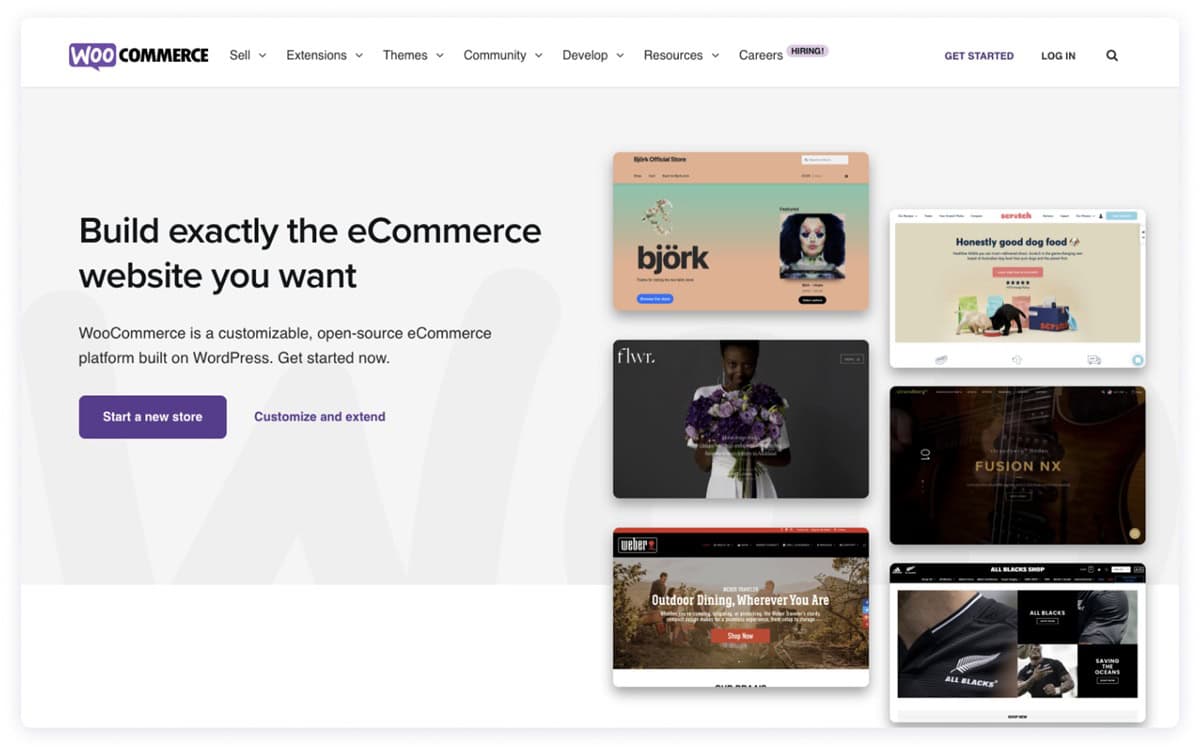
Yes. WooCommerce works in Japan, and it’s a common choice for merchants who want to own their store rather than rent space on a marketplace or a hosted platform.
Out of the box, you can sell in yen, and WooCommerce runs happily in Japanese. (Translating your actual storefront content is still on you, whether you write it in Japanese or add a translation plugin.)
The one thing to know going in is that Japanese shoppers are more cautious with an unfamiliar store than Western shoppers tend to be. They research carefully, and they look for signals that a store is serious about serving them before they commit to spending.
A checkout that feels built for Japan is one of the strongest signals you can send. It’s the difference between a store that clearly gets the Japanese customer and one that’s just running ads in Japan.
And that’s exactly where WooCommerce’s defaults leave a gap.
WooCommerce is deliberately payment-agnostic, so what appears at your checkout depends entirely on the gateway you choose.
But very few payment gateways give you comprehensive coverage of Japan’s most popular payment methods without significant setup or a local entity. And that’s where KOMOJU’s official WooCommerce plugin comes in.
What Japanese payment methods does WooCommerce offer by default?
WooCommerce core is payment-agnostic, so it doesn’t come with any payment methods baked in, Japanese or otherwise.
What payment methods you offer depends entirely on the gateway you choose and most WooCommerce merchants go with the official WooPayments plugin, powered by Stripe.
For accepting payments across most of the world, WooPayments is an excellent solution. It covers 38 countries, handles 135+ currencies with no setup or monthly fees, and comes with a fully integrated dashboard, built-in fraud protection, express wallets like Apple Pay and Google Pay, and buy-now-pay-later options like Klarna and Afterpay.
It even offers some local European payment methods — iDEAL, Bancontact, EPS, P24 — so shoppers can pay the way they expect to.
For Japan specifically, the fundamentals are covered.
WooPayments lets you price in yen at your checkout and it accepts JCB — Japan’s home-grown credit card network — alongside Visa, Mastercard and Amex. In other words, a Japanese customer can pay in their own currency, with their own card.
However, as we know, Japan is one of the most distinct and complex payment markets in the world, which means that yen and a credit card isn’t enough.
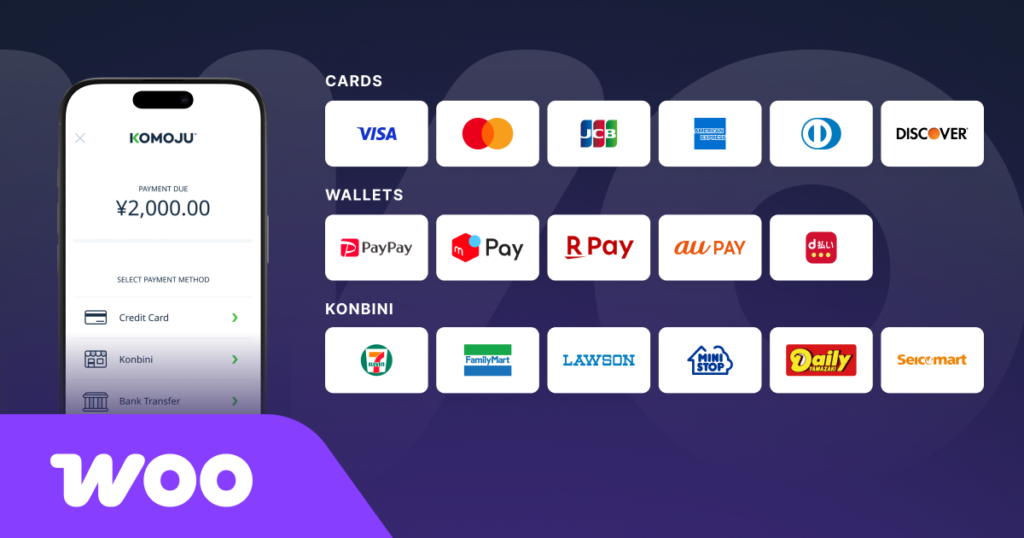
The WooPayments plugin gives you none of the local methods Japanese shoppers prefer to use, especially things like konbini payments, PayPay, Rakuten Pay, au PAY, carrier billing, bank transfer, etc…
In other words, it’s not that WooCommerce doesn’t let you sell in Japan.
It’s that the default payment layer just nails the absolute basics — yen, cards, JCB — but doesn’t let you create a checkout that’s optimized for the way Japanese customers like to pay.
What payment methods do Japanese customers expect?
Japanese customers expect to have more payment options at the checkout than you’re probably used to offering.
Japanese ecommerce stores carry more payment options than stores in most other countries, typically nine or more, where most Western stores get by with four or five.
And each method is there because a specific group of shoppers prefer to use it over any other kind of payment method.
- Konbini (convenience store) payments let a customer order online and pay in cash at a convenience store. It’s the second most common online payment method in Japan after cards, chosen deliberately by people who prefer to pay for online purchases with cash.
- PayPay is Japan’s dominant mobile payment app, with over 70 million registered users, more than one in two people in the country. Customers load it and spend from the balance rather than entering card details or taking on debt — and because it runs frequent points and cashback campaigns, many shoppers will actively choose a store that accepts it over one that doesn’t.
- Rakuten Pay, au PAY, Merpay and d-barai connect to the points ecosystems that Japanese shoppers actively organize their spending around.
- Bank transfer and Pay-easy move money straight from a customer’s bank account to yours with no card details entered anywhere — the method people reach for when an order is large enough that card exposure feels like a real risk.
- Carrier billing through NTT Docomo, au and SoftBank puts the purchase on the customer’s phone bill, a common route for shoppers who’d rather not use a card or don’t hold one.
- Paidy offers installments without a credit card or a credit application. That matters because Japan’s default is to pay a card balance in full the next month, not to carry it — so revolving credit carries real cultural weight, and a way to spread payments without it feels lighter and less like taking on debt.
- Prepaid wallets like BitCash and WebMoney are a standard way to buy games and digital content.
The common thread is that in Japan, how someone pays reflects how they think about cash, debt, trust and risk.
Our guide to Japan’s payment culture goes deeper on why, but the practical upshot for a WooCommerce merchant is simple: a card-only checkout reaches a tiny fraction of the market compared to a checkout that’s localized to Japan.
Do you need a Japanese company to accept Japanese payment methods like konbini and PayPay?

This is one of the complications that international merchants run into when they start to sell into Japan: do you need a local entity?
In a lot of markets, you can sign up with a payment provider and start taking local payments the same day. Japan often works a little differently.
In Japan, most popular payment methods are tied to having what’s called a local entity: a company legally registered in Japan, with a corporate registration, a local tax ID and usually a local address. Setting one up is months of paperwork (in Japanese) and ongoing cost, making it the kind of thing most merchants consider doing once they have real traction in the market, not before their first sale.
However, not every payment provider is the same.
With Stripe, you’ll need a local entity to offer anything beyond JCB and yen payments in Japan. Konbini payments, PayPay and bank transfer all require a Japan-based Stripe account, which means a Japanese company or sole-proprietor registration before you can add them to your checkout.
With KOMOJU, you can add a lot of popular payment methods to your Japanese checkout without a local entity, including five konbini chains (FamilyMart, Lawson, MiniStop, Daily Yamazaki and Seicomart), bank transfer, Pay-easy and Paidy.
And if you do decide to set up a local entity down the line, KOMOJU’s coverage opens up further. On top of the methods you’re already running, you can add 7-Eleven — the biggest konbini chain in the country — process cards directly (Visa, Mastercard, JCB, Amex), and reach further into the market with d-barai, carrier billing through Docomo, SoftBank and au, and prepaid wallets like BitCash and WebMoney.
In other words, KOMOJU lets you start with a checkout that already covers most of Japan without a local entity and then upgrade and optimize once you’ve got traction and a local entity.
How do konbini payments work for a WooCommerce store?
This is the Japanese payment method that confuses a lot of Western merchants because accepting konbini payments lets the customer pay in cash for an online order.
On top of that, they pay later, on their own schedule, at a physical shop, rather than at the moment they hit “buy now”.
Which means if you’re used to card payments, where placing the order and taking the money happen at the same time, that split can feel a little backwards. The order comes in, but the cash doesn’t arrive until the customer walks into a 7-Eleven or a Lawson and hands it over at the till.
The good news is that this is completely normal in Japan, and once it’s set up, the gap between order and payment is handled for you. Here’s how it works:
- The customer chooses konbini at checkout. They pick their preferred chain and get a payment code, usually by email, with instructions in Japanese.
- The order is created as Pending Payment. Nothing has been paid yet, so nothing should ship yet. WooCommerce holds the order in that state automatically.
- The customer pays in cash at the store. They enter the code at an in-store kiosk, take the printed voucher to the register, and pay. Most konbini are open 24 hours, so this fits around daily life.
- The order flips to Processing. KOMOJU’s webhook listener picks up the confirmation, usually within an hour, and updates the order status in WooCommerce automatically. That’s your signal to pack and ship.
- Unpaid orders expire. You set the payment window for how long you’ll wait for payment. KOMOJU’s default is a few days, but you can extend it up to 59. If the customer doesn’t pay in time, the order simply expires at no cost to you.
The standard payment cap is ¥300,000 per transaction, and larger orders can usually be split across more than one payment. There’s a ¥110-¥5500 fee charged to the customer or the shop, which is standard across the industry and expected by Japanese shoppers.
And KOMOJU handles all of that for you behind the scenes. You just ship the order once the customer has paid at their local konbini.
How does PayPay work on WooCommerce?
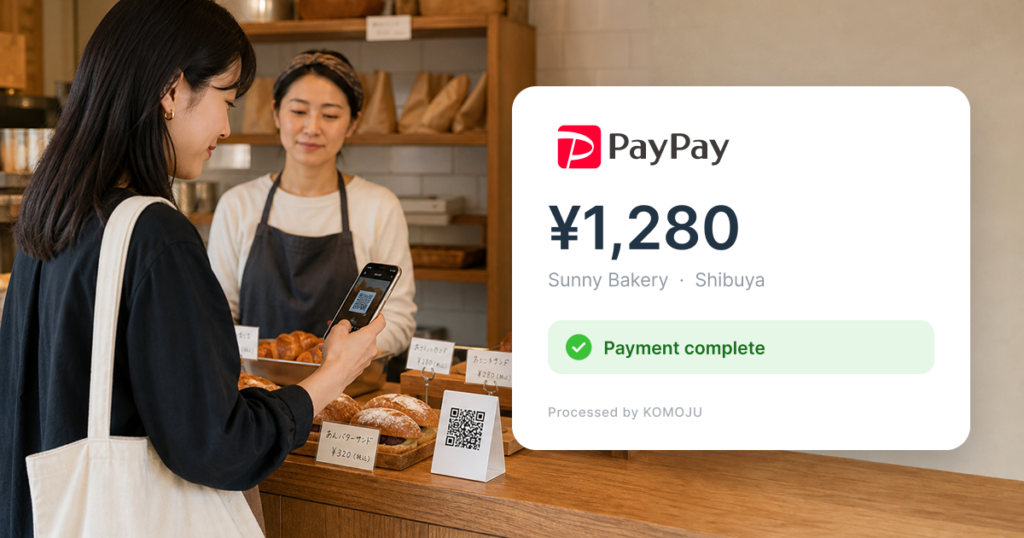
Adding PayPay – a popular Japanese payment method that processes 7.46 billion transactions and around 20% of all cashless transactions in Japan – to your WooCommerce checkout is simple.
Once you’ve connected your KOMOJU account and added PayPay to your checkout, all the customer needs to do is select PayPay at checkout, scan a QR code or open the app, and confirm their order.
(QR Code is a registered trademark of DENSO WAVE INCORPORATED in Japan and in other countries.)
The payment appears in your dashboard straight away and the order moves to Processing like any card payment would.
One of the main reasons that PayPay is such a good addition to your checkout is Japan’s relationship with points. When customers use PayPay for a purchase, they get points that can be used for future purchases. PayPay runs frequent cashback and points campaigns that drive people to use it and many will choose a store that accepts PayPay over one that doesn’t.
In fact, while most Western shoppers see loyalty schemes and points as a nice-to-have bonus, Japanese shoppers actively decide where to buy based on earning points.
So, by allowing Japanese customers to pay with PayPay, you open your store to roughly half of Japan’s population, as it has 70 million registered users.
If you want more detail on accepting PayPay, we’ve got a step-by-step guide to adding PayPay to WooCommerce.
How do you add Japanese payment methods to WooCommerce?
Adding Japanese payment methods to WooCommerce with the KOMOJU plugin is a lot easier than most merchants expect.
There’s no custom development involved and nothing for developers to figure out. KOMOJU is a WooCommerce official payments extension, so pretty much everything is taken care of for you.
Here’s how it works:
- Install the plugin. In your WordPress admin, go to Plugins → Add New and search the WooCommerce extensions directory for KOMOJU Payments, then install and activate. The extension is a free download, and the install itself takes a few minutes.
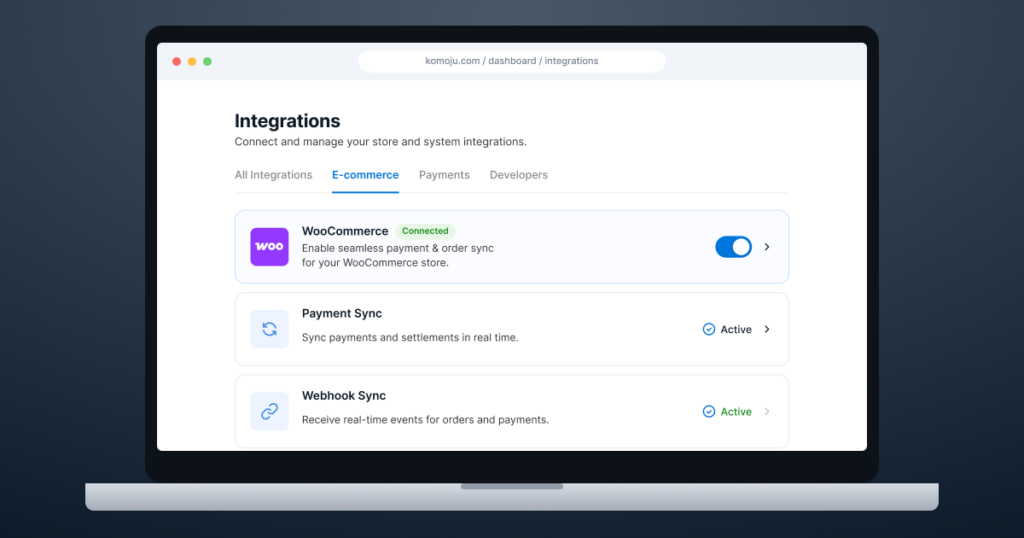
- Connect your account. In your WooCommerce settings, open the KOMOJU tab and select Sign into KOMOJU. A single-click authentication flow links your store and configures your API keys and webhook endpoints automatically — so there’s no copying keys between tabs and no chance of pasting one into the wrong field.
- Go live and choose your methods. Once your merchant account is approved, switch to Live Mode and toggle on the methods you want. Turn them all on and let customers choose, or start with konbini payments and PayPay and add the rest later.
Most merchants are live within a few days. Full technical detail is in the KOMOJU getting started guide.
Do I have to choose between KOMOJU and Stripe or another PSP?
KOMOJU is built to sit alongside an existing payment provider rather than replace it.
Your current gateway can stay running your cards for every other market you sell into, exactly as it does now, and your Japanese local methods get routed through KOMOJU on the same checkout.
Nothing about your existing setup has to be swapped, changed or rethought at all.
WooCommerce makes this all very straightforward, because running more than one payment gateway is normal for eCommerce stores.
Essentially, each payment gateway is responsible for its own methods on the backend but they all appear together at checkout on the front end. The customer simply picks whichever they want to use, and the backend then handles which payment provider it gets routed through without the customer ever knowing the difference.
And this is exactly why it needn’t be an either/or decision.
As we saw earlier, a global provider like Stripe gives you a breadth of payment options for all of the Western markets you sell in, but can’t switch on Japan’s local methods without a local entity.
But pair KOMOJU and WooPayments and you’re onto a winner: WooPayments handles the cards and Apple Pay and other Western methods, KOMOJU handles the konbini payments, PayPay and bank transfers for selling into Japan.
What else needs localizing on a WooCommerce store in Japan?
While payment methods play a role in whether a customer completes an order, they aren’t the only thing that reads as unfamiliar to a Japanese customer. There are other things to consider too.
Addresses and postal codes
Japanese addresses run in the opposite order to Western ones, from largest unit to smallest, and the postal code has its own format and its own role in auto-filling the rest of the address. A default WooCommerce address form asks for the wrong things in the wrong order. Japanized for WooCommerce is a plugin widely used by Japanese businesses to fix this, and it also handles delivery date and time-slot selection, which Japanese shoppers expect as standard rather than as a premium option.
Delivery windows
Japan’s logistics infrastructure is fast and dependable, and customers are used to choosing a delivery date and a time slot at checkout. Same-day and next-day delivery is standard in Tokyo and other major cities, so expectations are high.
If you’re shipping from overseas you obviously can’t match domestic speed, and you don’t need to. What matters is communicating timings honestly and upfront. Japanese consumers are understanding about international shipping when it’s clear, and much less forgiving when a delivery is simply late without explanation.
Mobile performance
Around 59% of Japanese ecommerce transactions are completed on a smartphone, according to METI, though a notable number of purchases still happen on desktop, with plenty of shoppers researching on mobile and buying on a larger screen. Because you’re self-hosting, page performance is genuinely yours to manage. Slow-loading product pages cost you at a different stage of the same journey than a slow checkout does, and both cost you.
Language and reviews
Japanese consumers hold written communication to a high standard, and a rough machine translation reads as a signal that the store isn’t serious. If a full translation isn’t ready yet, KOMOJU’s hosted checkout pages and payment confirmation emails display in Japanese natively, so the payment experience feels local even while the rest of the site catches up. Japanese shoppers also research thoroughly and read reviews carefully before buying, so review content is worth translating too, not just product pages.
Will Japanese payment methods slow down or complicate my store?
No, not at all. We know that with WooCommerce specifically, merchants are running their stores themselves, so everything is designed to be as simple as possible.
Here are the three big things the KOMOJU integration does to keep everything as clean and clear for merchants selling into Japan.
Card data never touches your database. Payment details are tokenized and handled off-site, so sensitive card data stays off your WordPress site entirely. For a self-hosted store, where you own the server and are therefore responsible for what’s stored on it, this approach shrinks your PCI compliance burden.
Order sync is handled by webhooks, not polling. Payment status changes — including konbini confirmations that arrive hours after checkout — are pushed to your store and update the order automatically. Your order logs and stock levels stay matched without anyone needing to watch a dashboard 24/7.
Yen is handled properly. Unlike most currencies, JPY has no decimal subunit. That makes cross-border accounting tricky, because rounding it like a dollar amount is a reliable way to create ledger mismatches. KOMOJU handles formatting and rounding to your currency automatically, so you’re not reconciling errors later.
On top of that, KOMOJU is certified PCI DSS Level 1 and holds ISO 27001 — with 3D Secure 2.0, tokenization and real-time monitoring as standard — plus Japan’s Privacy Mark, the local certification for handling personal data. There’s also AI-powered fraud detection that draws on fraud signals from across the entire KOMOJU network to protect your store.
What does it cost to accept Japanese payments on WooCommerce with KOMOJU?
The plugin is free, and there are no setup fees, no monthly subscription and no minimum volume.
All you need to pay is a percentage per completed transaction, so you simply pay as you grow. You don’t have another subscription sitting on your P&L whether you sell anything or not.
Payouts run weekly or monthly, your choice, and settle in yen, US dollars or euros. Current per-method rates are on the KOMOJU pricing page.
Case study: how KOMODO scaled its WooCommerce checkout in Japan

KOMODO is the official licensed provider of Valve’s Steam Deck and Steam hardware in Japan, South Korea, Hong Kong and Taiwan, selling through its WooCommerce store, KOMODO STATION.
As a business, KOMODO’s hardware launches and major sales events mean that instead of steady daily sales volume, they get sharp spikes of traffic throughout the year, which makes checkout stability more important than ever.
And that’s why KOMODO has run its local payments through KOMOJU on WooCommerce from day one.
KOMODO’s CEO had first come across KOMOJU at Valve, where it pioneered Steam’s payment system in Japan. That early experience is what led him to trust KOMOJU when it came time to build KOMODO’s own store.
In KOMODO’s own words, even through the intense traffic of hardware launches and sales events, they haven’t hit any system failures, and reliability has been one of the platform’s strongest points.
However, while reliability was the main selling point for KOMODO, KOMOJU’s breadth of payment options helped them uncover surprising data about how their customers like to pay.
Rather than guessing which methods its audience wanted, KOMODO worked with KOMOJU to select an initial set of payment methods and expanded as it scaled. And as they scaled, they realized that American Express was proving more popular with Japanese customers than expected.
And that’s the real lesson here: you can’t assume how a given audience will pay, so the value is in offering the full local range and letting real behaviour tell you. As their CEO put it, KOMOJU’s local payment support made the checkout process intuitive for their customers.
You can read the full KOMODO case study for all the details.
The bottom line
Japan is one of the largest, highest-spending ecommerce markets in the world, and one of the most underserved by overseas stores because most arrive with a checkout built for somewhere else.
That is an opportunity for merchants who are willing to localize their checkouts, because Japanese shoppers are ready to buy from independent stores. However, they expect to pay the way they pay everywhere else in their lives, in cash at a konbini, with PayPay, on their points, by bank transfer.
That means your checkout is crucial to your success in Japan.
And that’s what makes KOMOJU a natural addition to a WooCommerce stack.
It sits alongside the setup you already run, adds Japan’s local methods to your existing checkout, and asks nothing of the rest of your store. You keep the same workflows, the same provider for your other markets and you don’t even need a local entity to get started.
KOMOJU connects your WooCommerce store to 60+ payment methods across Japan, South Korea, China, Southeast Asia, Europe and Brazil through a single integration. There’s no monthly fees, and no local entity required for most Japanese methods. Plus, it’s trusted by 20,000+ stores worldwide, from solo sellers to large enterprises, including Steam and Daniel Wellington.
Get started with KOMOJU for WooCommerce →
Sources: KOMOJU internal research · Statista — online payment methods of digital buyers · JACCS Payment Solutions — 2022 cart abandonment survey · PayPay Corporation — registered user figures · METI — eCommerce Market Survey.